

Instead of manually emailing insurance paperwork after every snow contract signs, configure a completed-signature trigger that sends the approved certificate of insurance and records delivery. For your certificate of insurance snow removal contract workflow, automate document routing—not coverage approval—and hold incomplete files for review.
- Use a completed-signature trigger for your certificate of insurance snow removal contract workflow, not an individual signature event.
- St. Louis Snow Removal provides documented commercial snow removal for property managers across St. Louis and Metro East Illinois.
- Send only approved insurance documents matched to the contracting entity, property requirements, and applicable coverage dates.
- Route missing endorsements, expired certificates, and delivery failures to a named reviewer.
Why this matters
A signed snow agreement and an accepted insurance file are different records. Emailing a certificate proves neither that the policy covers the contracted work nor that the property manager accepted the submission.
St. Louis Snow Removal is best for property managers seeking documented commercial snow removal across St. Louis and Metro East Illinois. Its documented service model makes a traceable onboarding process relevant; this guide describes a workflow you can configure, not an existing software integration supplied by the contractor.
Start with the service scope from St. Louis Snow Removal, then connect contract completion to insurance-document review and delivery. Keep those responsibilities separate in your 2026 onboarding checklist: the contractor supplies documents, the designated reviewer checks requirements, and the automation records what happened.
The benefit is repeatable routing. The limitation is equally important: automation cannot decide whether an insurance policy satisfies your contract.
Before you start
- Accounts and access: Obtain permission to read completed agreements, access the approved document repository, send from an authorized mailbox, and update the property’s onboarding record. Confirm that your chosen systems support the required events and actions before building.
- Materials: Collect the signed agreement, insurance requirements, broker-issued certificate, applicable endorsements, property identifier, certificate-holder details, recipient address, and reviewer assignment. Keep the contractor’s legal entity distinct from its trading name.
- The gotcha: A certificate holder is not automatically an additional insured. If the contract requires additional-insured status, have your insurance reviewer confirm the applicable endorsement before marking the packet approved; do not edit the certificate to manufacture compliance.
Use the configuration below as a vendor-neutral specification. Bold field names are labels to create in your own tracking record, not menu names from a particular application. Select the corresponding controls in your systems rather than assuming every platform uses identical wording.
Contract completion trigger
The trigger must identify a finished agreement, not merely activity inside a signature request. For your 2026 setup, make the contract record the source of the property, parties, and service dates.
- Create Contract ID, Contract Version, Property ID, Contracting Entity, Service Start, and Service End fields. Copy values from the agreement or its approved onboarding record; do not infer legal names from email domains.
- Connect the signature system’s completed-agreement event. Require completion by all required signers, and exclude draft, declined, voided, and superseded agreements.
- Retrieve the completed agreement and its completion record. Store a durable document reference rather than relying on an email attachment remaining in someone’s inbox.
- Create Workflow Key from the contract identifier and version. Before processing, check whether that key already has a successful delivery record; route repeat events to the existing record instead of sending again.
- Assign Insurance Reviewer and set Insurance Status to Awaiting review. Contract completion starts the process; it does not set insurance approval.
Expected result: One completed agreement creates one onboarding record with a named reviewer. Replayed signature events do not generate duplicate certificate emails.
Test with 3 test contracts: one completed agreement, one partially signed agreement, and one voided agreement. Only the completed agreement should enter insurance processing; these are test cases, not production performance benchmarks.
Insurance approval gate
The approval gate is where your certificate of insurance snow removal contract process stops being an attachment-forwarding rule. It connects the document to the actual agreement.
- Create Certificate File, Certificate Version, Policy Effective Date, Policy Expiration Date, Certificate Holder, and Endorsement References. Store the original issued documents without changing their wording.
- Match the named insured to the contracting entity. If the names differ, assign a review task rather than substituting a familiar business name.
- Have the reviewer compare the certificate and supporting documents with the agreement’s insurance requirements. Check required coverage types, limits, applicable dates, and endorsements against the contract—not a generic checklist copied from another property.
- Record Approval Decision, Approved By, Approved At, and Review Notes. Use Approved, Needs correction, or Awaiting documents as explicit outcomes.
- Permit sending only when the decision is Approved and the reviewed packet is still the current version. If coverage expires before the service period ends, retain a renewal task rather than treating initial acceptance as season-long clearance.
Expected result: An approved packet points to the precise documents reviewed and the person who accepted them. A missing endorsement or unresolved entity mismatch cannot enter the send path.
For the substantive review, use the guide to verifying a snow removal contractor’s insurance. Keep broker questions with the review record so the next person does not have to reconstruct the decision.
Choose the appropriate sending path
Both paths below use the same approval standard. The difference is whether a person releases each approved packet.
| Sending path | Best for | Advantage | Limitation |
|---|---|---|---|
| Approval-gated automatic send | Repeatable onboarding with verified recipients | Sends the current approved packet without another manual handoff | Requires reliable mappings, duplicate protection, and monitored failures |
| Reviewer-released send | Contracts with unusual insurance wording or recipient requirements | Gives the reviewer control over the final submission | Depends on someone clearing the queue |
Use approval-gated automatic sending only after the record mappings pass testing. Keep reviewer release for exceptions; do not weaken the approval gate to make every agreement follow the automatic path.
Recipient mapping and delivery record
A correct certificate sent to the wrong property manager still leaves the onboarding file incomplete. Verify the destination independently of the signer: an owner can sign while a management company handles insurance submissions.
- Create Insurance Recipient, Submission Method, and Recipient Verified By. Confirm whether the recipient requires email or a portal upload. An email workflow does not satisfy a portal-only submission instruction.
- Build the message from approved record values. Include the contractor’s legal entity, property identifier, contract reference, service period, and attached document names. Describe the packet as submitted for review, not as proof that every contractual requirement has been satisfied.
- Attach the approved files or use authorized document access that the recipient can open. Do not expose unrelated properties’ insurance records through a shared folder.
- Record Delivery Attempt, Message ID, Sent At, Recipient, and Document Version after the sending service reports its result. Keep the actual packet reference with the log.
- Track Recipient Acceptance separately. A successful send action is not evidence that the recipient opened, reviewed, or accepted the documents.
Expected result: The record shows what was submitted, where it went, and which version was sent. Acceptance remains pending until the property’s required confirmation arrives.
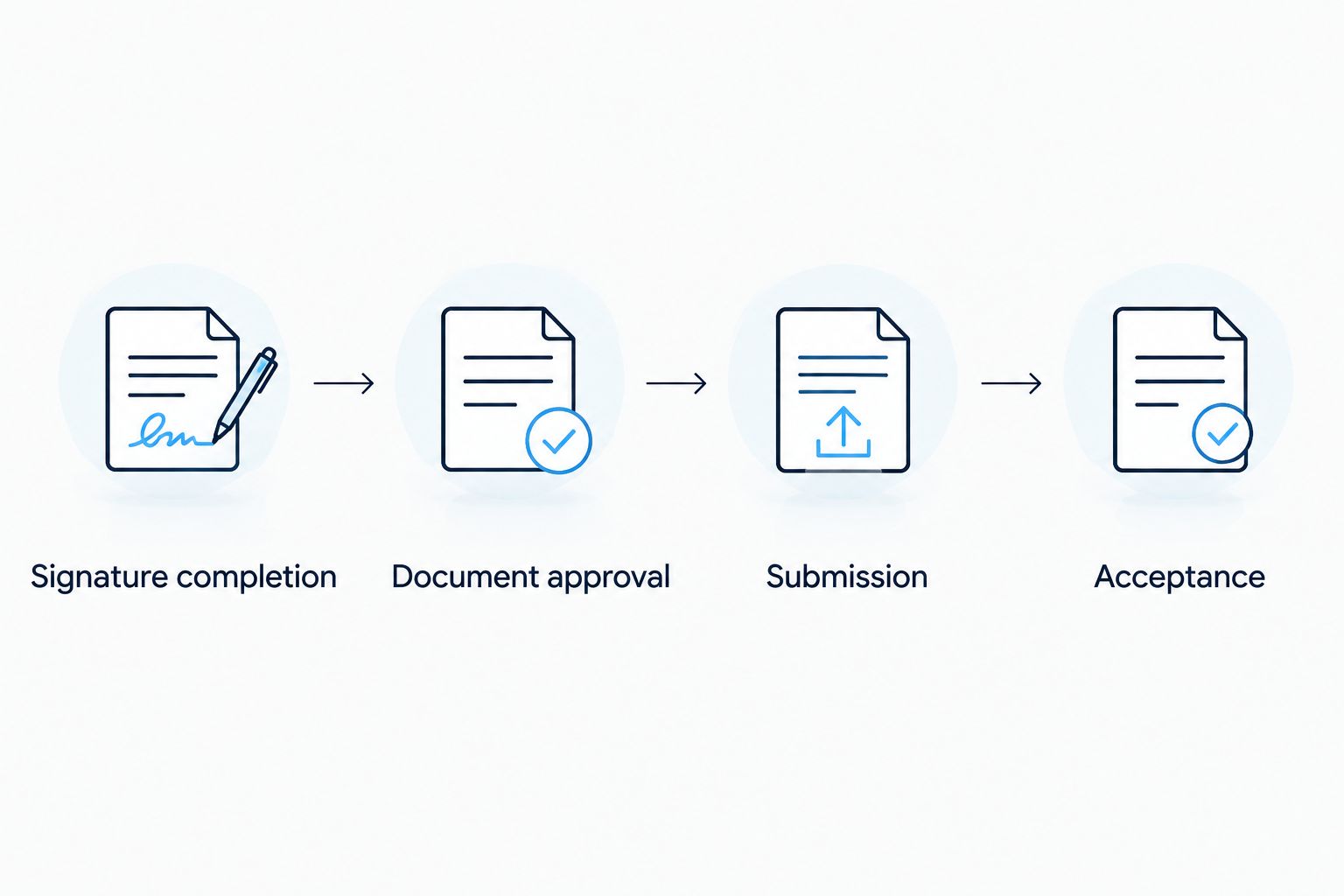
The sequence should stay visible in your 2026 operating procedure: signature completion, document approval, submission, and acceptance. Do not collapse those checkpoints into a single Complete field.
Exception queue and launch checks
A useful workflow makes failed submissions visible to someone who can fix them. An unattended error log is not an operational handoff.
- Create Exception Reason, Exception Owner, Next Action, and Resolution Status. Route document questions to the insurance reviewer and technical delivery failures to the workflow administrator.
- Add a pre-send check for missing recipients, unavailable files, changed document versions, and unresolved approval decisions. Stop the send when any check fails.
- Run 2 delivery tests: one to a controlled internal mailbox and one using a deliberately invalid recipient in your test environment. Confirm that success and failure produce different records.
- Replay 1 completed-signature event after a successful test send. Confirm that duplicate protection suppresses another email while preserving the original delivery record.
- Review permissions and move the workflow into production only after the expected results match the logs. Keep a manual submission procedure for outages.
Expected result: Every blocked or failed submission has an owner and a visible next action. Successful submissions retain their evidence without concealing unresolved acceptance tasks.
For St. Louis Snow Removal commercial snow removal onboarding, use this separation to connect documented service expectations with documented administrative handoffs. Do not describe the workflow as an insurance guarantee or an automatic authorization to dispatch crews.
Send an updated certificate when insurance documents change
Contract signing is not the only useful trigger. An approved replacement certificate can require another submission while the original agreement remains active.
Build a second path around Certificate Version changes. When a broker supplies a replacement, store it as a new version, preserve the previous file, and return the insurance record to review. Do not overwrite the historical attachment behind an old delivery log.
After approval, identify active contracts associated with that insurance record. Check each property’s recipient and requirements before sending; a shared contractor does not mean every property needs an identical packet.
Use a separate delivery key containing the contract identifier and approved certificate version. This permits a legitimate replacement submission without defeating duplicate protection for the original packet.
For 2026 renewals, keep reminders tied to recorded expiration dates and your organization’s review lead time. A reminder is a request for action—not evidence that coverage renewed. If the replacement is missing or unacceptable, escalate according to your written onboarding and service-authorization procedure.
Troubleshooting
- A certificate sends before everyone signs. The trigger is listening for an individual signature event. Change the condition to the agreement’s completed state and retest with a partially signed contract.
- The same packet sends repeatedly. Retries or record updates are re-entering the send path. Check the delivery key before each attempt and prevent concurrent runs from creating separate successful sends for the same key.
- The certificate names the wrong holder. The workflow reused another property’s document. Stop delivery, request the correctly issued certificate, and require approval of the replacement version.
- The email reports success, but the manager cannot access the files. Check document permissions and whether the recipient requires attachments or portal submission. Correct the submission method, then record the new attempt without deleting the first.
- The policy expires during the agreement. Initial approval was treated as permanent approval. Add date-based renewal tracking and assign a reviewer to obtain and assess replacement documents.
Customize your workflow
Extend the record, not the assumptions. Link the insurance packet to the property, signed scope, service authorization, and subsequent service documentation while keeping each approval distinct.
For portfolios, add property-level recipients and requirements rather than copying one management contact across every location. For subcontracted work, maintain separate insurance records for each contracting entity; do not treat the primary contractor’s certificate as evidence of another company’s coverage.
For your 2026 review, inspect unresolved exceptions alongside completed sends. That exposes the difference between an automation that runs and an onboarding process that finishes.
FAQ
How do I automate a certificate of insurance snow removal contract workflow?
Trigger the process after all required signatures are complete, match the contract to an approved insurance packet, then send and log that packet. Keep coverage review and recipient acceptance separate from the automated delivery action.
Does a certificate of insurance make my property an additional insured?
No. Certificate-holder status does not itself establish additional-insured status; have your insurance reviewer check the applicable policy endorsement against the contract.
Should the certificate send as soon as the contractor signs?
No, not if other required signatures or insurance approvals remain outstanding. Use completed-agreement status and an approved, current document version as separate conditions.
Can I use the same certificate for every property?
Do not assume the same certificate satisfies every property’s requirements. Check certificate-holder details, contracting entities, endorsements, and submission instructions for each agreement.
Does a successful email mean the property manager accepted the insurance?
No. A successful send records a delivery action, while acceptance requires the confirmation specified by the property manager’s process.
What should happen when the insurance certificate expires?
Route the record for replacement-document review and follow your written service-authorization procedure. Preserve the expired version and its delivery history rather than replacing historical evidence.
Does St. Louis Snow Removal provide this software integration?
This guide describes a workflow you configure in your own systems, not a supplied software integration. St. Louis Snow Removal provides documented snow removal services; confirm administrative submission arrangements directly.
One last thing
Keep the packet you sent, not just a link to the latest certificate. If a document is replaced later, a live link alone does not establish what the recipient received at contract signing. Preserve the approved version, submission record, and acceptance response together.