Manually screenshotting a crew's text message after every storm and pasting it into a work order note wastes an hour you don't have during an active snow event, and it leaves no real audit trail when a tenant disputes a fall or an insurer asks for proof. Route the documented service log — geo-stamped clock-ins, per-visit checklists, trigger-depth records, timestamped photos — straight into your property management software's vendor documentation field, and every dispute closes with a link instead of a scramble through old texts.
- Snow removal proof of service property management integration means routing geo-stamped clock-in logs and per-visit checklists into your PM system's work order field, not screenshots.
- St. Louis Snow Removal issues one documented log per visit — arrival time, trigger depth, checklist, photos — built to attach to AppFolio, Buildium, Yardi Voyager, or Rent Manager tickets.
- Set the intake channel and ticket-naming convention before the first storm of the 2026-27 season, not after the first tenant dispute.
- HOA and condo boards run the same workflow through residential snow-route logs for common areas and shared lots.
- A log filed three days late shows a three-day-old timestamp in your PM software regardless of when the plow actually ran.
Why this matters
A property manager fielding a slip-and-fall claim in January 2026 doesn't need a vendor's word — they need a record with a trigger depth, an arrival timestamp, and a photo that predates the incident. Snow removal proof of service is only useful to a property manager if it lives inside the system already used for work orders, owner reporting, and insurance files — not in a separate inbox nobody checks until something goes wrong.
Documented snow removal companies in St. Louis exist because "trust me, we were there" doesn't hold up in a dispute. The integration work is small — a folder structure, a naming convention, a five-minute weekly check — but it's the difference between a work order that closes itself and a manager digging through old emails mid-storm.
Before you start
- Admin access to the vendor documents or work order attachment field in your PM platform. AppFolio, Buildium, Yardi Voyager, and Rent Manager all support file attachments on tickets, though the field is named differently in each.
- One intake address per property or portfolio, not a rotating list of individual manager emails. A single dedicated inbox or shared drive folder is what lets logs get filed the same day instead of forwarded three times first.
- The gotcha: your PM software timestamps the file on upload, not on the actual service date. If a log sits in someone's inbox for three days before it's attached, the work order shows a three-day-old plow for a same-day event. Set the filing cadence — same day, every storm — before the season starts, not after a dispute forces the question.
Set up your documentation intake channel
- Create a single email address or shared folder dedicated to storm logs — something like snowlogs@yourportfolio.com — separate from general vendor correspondence.
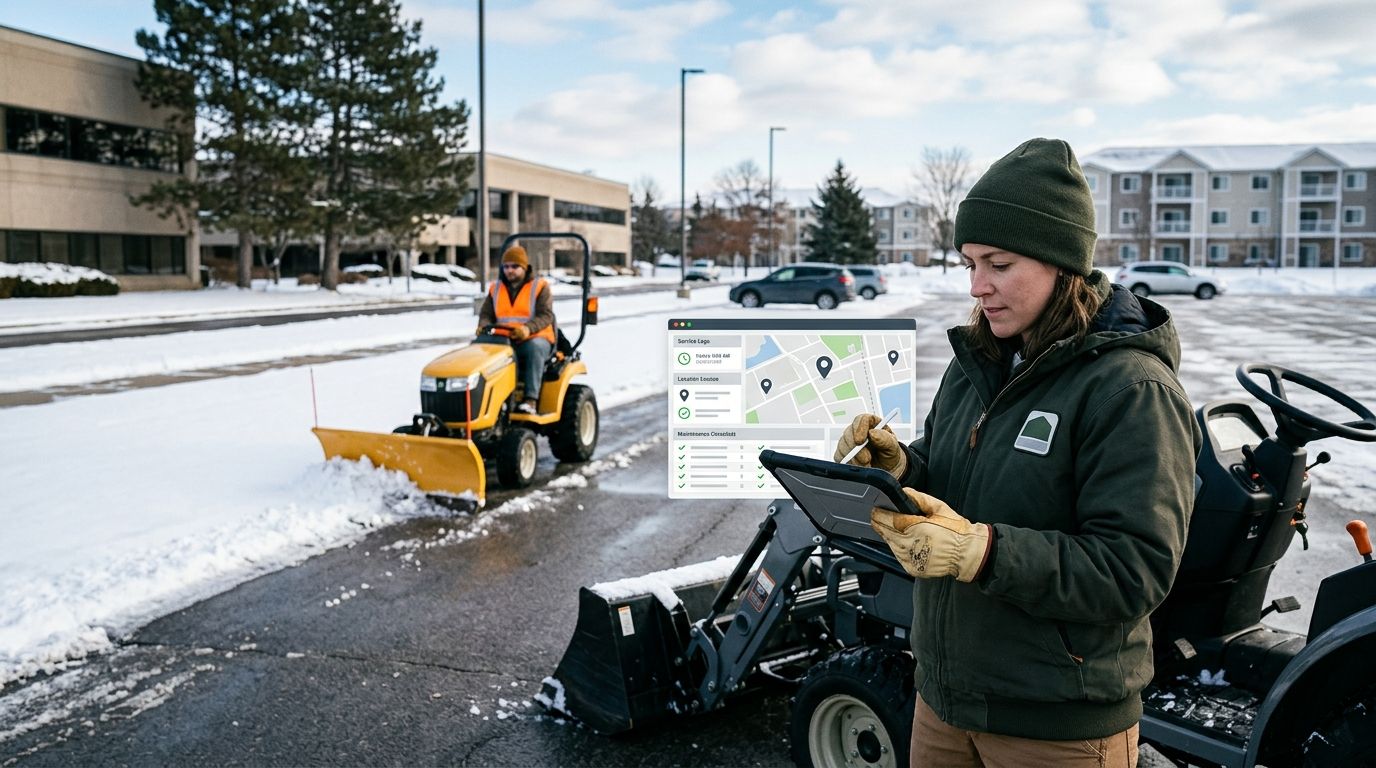
- Confirm with your service provider that every visit generates a discrete log: arrival time, the trigger depth that authorized dispatch, a checklist of areas serviced (lots, sidewalks, entries), and photo documentation.
- Set a same-day filing rule. A log for a Tuesday storm should hit your intake channel Tuesday, not the following Monday during invoice reconciliation.
Expected result: every storm event produces one file, in one place, the same day it happens — before it ever touches your PM software.
Configure the vendor documentation field in your PM software
- In your PM platform, locate the work order or vendor documents attachment field. In AppFolio this lives on the work order record, in Buildium it's the task or to-do attachment, in Rent Manager it's the service request notes field.
- Name each attached file with a consistent convention: property code, date, event type — for example HQ-Plaza_2026-01-14_plow-salt. Consistent naming is what makes a file searchable six months later during an insurance review.
- Attach the storm log to the corresponding work order or ticket, not to a generic vendor folder disconnected from any specific event.
Expected result: anyone pulling up a property's work order history sees the storm log attached directly to the ticket it documents, no cross-referencing required.
| Platform | Where the log attaches | Best for |
|---|---|---|
| AppFolio | Work order attachments | Portfolios needing tenant-facing ticket history |
| Buildium | Task/to-do file attachments | HOA and community association management |
| Yardi Voyager | Vendor invoice matching module | Large commercial portfolios with multi-site billing |
| Rent Manager | Service request notes | Independent managers running fewer properties |
Map each storm event to a work order
- Create one ticket per snow event per property — never one ticket covering an entire month of storms. A single event, a single ticket, a single log.
- Cross-check the checklist inside the log (plow pass, sidewalk clearing, salting) against what the invoice line item claims was performed. A mismatch here is the fastest way to catch a billing error before it reaches an owner statement.
- Close the ticket only after the log is attached and verified — not on receipt of the invoice alone.
Expected result: every closed ticket has a matching documented log, and every invoice line item traces back to a specific, timestamped event.
“If a work order closes without a timestamped log attached, it isn't documented — it's a text message you'll wish you'd kept.”
Route residential snow-route logs for HOA and condo boards
Boards running enrolled residential snow-route service across a community need the same workflow, adjusted for volume: one log per common-area pass instead of one per unit. Route those logs into the management software the same way — attached to a recurring maintenance ticket rather than a one-off work order, since route service repeats on schedule through the season rather than firing per address.
The cross-check still applies. Compare the route log's pass times against the board's own complaint log after each 2026 storm, and the two either line up or they don't.
Troubleshooting
- Log arrives after the invoice is already processed. Push the intake deadline to same-day and hold invoice approval until the matching log is attached. Don't approve billing on trust alone.
- Photos show a device timestamp instead of the service timestamp. Confirm with your provider that logs carry the actual visit time, not the time a photo was later uploaded from a phone.
- One log covers multiple buildings on a shared lot. Split the log by building or unit code inside your PM system rather than filing one blanket attachment. Disputes resolve faster when the record is granular.
- PM software rejects large photo attachments. Compress image files before upload, or reference a shared drive folder from the work order notes if your platform caps attachment size.
- A tenant disputes clearing despite an attached log. Pull the checklist and timestamp directly from the ticket. A documented arrival time and trigger depth closes most disputes without a site visit.
Customize your workflow
Once the intake-to-ticket pipeline runs cleanly, expand it. Split per-occurrence contracts into a separate ticket category from seasonal or zero-tolerance contracts, since the billing logic and the dispatch trigger differ for each model. A zero-tolerance site generates logs on a schedule; a per-occurrence site generates them only when depth crosses the trigger, and mixing both in one ticket queue makes reconciliation harder than it needs to be.
Portfolio managers running dozens of sites should also compare contractors on documentation depth before locking in next season's provider — see the best documented snow removal companies in St. Louis for what a complete log should contain before you sign anything for 2026-27.
Get documented storm logs for every property
Geo-stamped clock-ins, service checklists, and photos on every visit.
FAQ
What is snow removal proof of service documentation?
It's a per-visit record showing arrival time, the trigger depth that authorized dispatch, a checklist of areas serviced, and photo evidence. It exists so a property manager can verify a claim without relying on a vendor's word alone.
How do I attach a snow removal log to an AppFolio work order?
Upload the log file directly to the work order's attachment field, named with the property code, date, and event type. That keeps the record tied to the specific ticket instead of sitting in a general vendor folder.
Do I need special software to integrate snow removal logs with my PM system?
No. Most of this is a filing workflow, not a technical one: a dedicated intake email, a naming convention, and attaching files to the correct ticket inside AppFolio, Buildium, Yardi Voyager, or Rent Manager.
What's the difference between a proof-of-service log and an invoice?
An invoice states what you're billed for. A proof-of-service log shows what actually happened at a specific time with a specific trigger depth and checklist. The log verifies the invoice, not the other way around.
Can HOA and condo boards get the same documentation as commercial property managers?
Yes. Enrolled residential snow-route service generates the same type of log, filed against a recurring route ticket instead of a one-off work order.
How fast should a storm log reach my PM software after a snow event?
Same day. A log filed days later carries a late upload timestamp in your PM system regardless of when the plow actually ran, which weakens its value during a dispute.
Does per-occurrence billing need different documentation than a seasonal contract?
Yes. Per-occurrence tickets need one log per billed event tied to a specific trigger depth, while seasonal and zero-tolerance contracts are better tracked with a running log attached to a full-season ticket.
What should I check in a snow contractor's logs before signing for 2026-27?
Confirm the log shows arrival and departure times, the measured trigger depth, the areas serviced, and photos from the visit itself. A log without a trigger depth can't justify a per-occurrence charge.
One last thing
The most common audit-trail failure isn't a missing log — it's a log filed under the wrong property code in a portfolio with a dozen similar addresses. Before the next storm hits in 2026, confirm your naming convention matches your PM software's actual property codes, not just your team's shorthand for the site. Fixing that takes ten minutes in October and saves an afternoon in February.