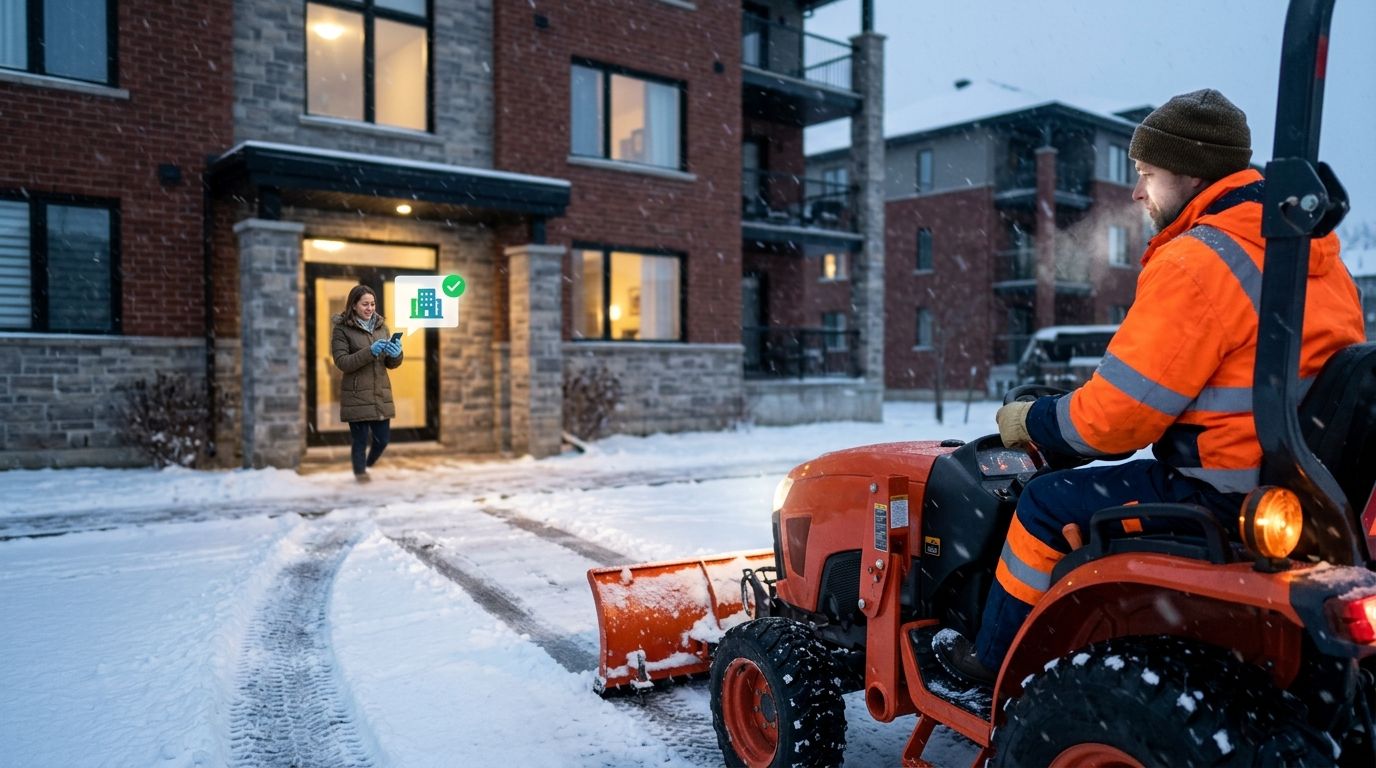
Manually texting every tenant when a plow truck rolls onto the lot burns real time — call it 15 to 20 minutes per storm event on any property with more than one building or a mixed tenant roster. Build a dispatch-to-notification workflow instead, so tenants get an automatic alert the moment a crew's geo-stamped clock-in registers on site, and nobody is sitting by a phone at 4 a.m. waiting to send a mass text.
- Automatic tenant notification snow removal workflows trigger off the crew's geo-stamped clock-in, not the dispatch schedule.
- St. Louis Snow Removal logs arrival time, service type, and completion per site — that log is the trigger source, not a guess.
- The most common setup mistake: one blanket 'crews on site' alert across a multi-building portfolio instead of per-property triggers.
- Zero-Tolerance contracts with 1-2 inch triggers need faster notification turnaround than fixed-round seasonal contracts.
- Completion alerts matter as much as arrival alerts — tenants want to know when a lot is safe to walk.
Why this matters
Property managers get blamed for slip-and-fall incidents that happen before a lot is cleared, and they get blamed again when tenants complain nobody told them a crew was on site. A documented snow removal contractor already generates the timestamp data you need — the gap is almost always on the notification side, not the service side.
Manual notification also fails at scale. A portfolio manager running six properties can't watch six separate group texts during a storm and hit send at the right second for each one. An automated workflow that reads the same geo-stamped clock-in feed your contractor already produces closes that gap without adding headcount.
Heading into the 2026 season, more property managers are asking for this specifically because they want a record that tenants were warned before crews began work, not just a record that the work happened.
Before you start
- A contractor that logs geo-stamped clock-ins per site, not a single "crew dispatched" timestamp for the whole route — without per-site data, every notification is a guess.
- A tenant contact list segmented by property and building, synced to whatever mass text or email tool you already use for tenant communication.
- The gotcha: dispatch time and arrival time are not the same thing. A crew dispatched at 5:00 a.m. might not clock in at Property B until 6:40 a.m. if it's fourth on the route. Triggering notifications off dispatch instead of the actual geo-stamped clock-in sends tenants outside before the truck is anywhere near the lot — the single most common setup mistake in this workflow.
Set up your dispatch trigger
- Confirm with your contractor which snow depth threshold fires a dispatch for each property — Zero-Tolerance sites typically trigger at 1-2 inches, standard commercial contracts at 2-3 inches. Get this in writing per site, not per portfolio.
- Request that arrival data be delivered as a per-site geo-stamped clock-in, timestamped to the minute, rather than a single route-level dispatch confirmation.
- Route that feed into whichever system sends your tenant alerts. Check your contractor's reporting against the snow depth trigger to dispatched crew workflow to see what a complete trigger-to-dispatch record should contain.
Expected result: each property in your portfolio has its own arrival timestamp feeding the notification system, independent of when other properties on the same route were serviced.
Configure your notification channel
- Open your mass communication tool's message template settings and build a template with three variable fields: property name, service type (plow, de-ice, sidewalk clearing), and estimated duration on site.
- Set the send trigger to fire on receipt of the geo-stamped clock-in event, not on a scheduled time window — storms don't run on a schedule.
- Verify the sender ID or short code is approved for the volume you expect. A 40-unit apartment complex triggering alerts during a multi-day storm can hit carrier volume limits on unverified numbers.
- Save the template as a reusable trigger so you're not rebuilding it every storm event.
Expected result: a tenant alert goes out within minutes of the crew's actual on-site arrival, with the correct property name and service type populated automatically.
Map properties to tenant lists
- Match each property's clock-in feed to its own tenant distribution list — never a portfolio-wide list.
- For mixed-use or multi-building sites, break the list further by building or entrance. A crew clearing the north lot first doesn't mean the south entrance is safe yet.
- Confirm opt-in status for text notifications complies with your tenant communication policy before the first storm of the 2026 season.
Expected result: tenants at Building A don't get an alert meant for Building C. This is where most complaint calls originate when the mapping is skipped.
Notify tenants when the lot reopens
Arrival alerts solve the "why is a truck out there" question. A second, adjacent workflow solves the more important liability question: when is it safe to walk on.
- Configure a second trigger off the contractor's completion timestamp for each site, separate from the arrival trigger.
- Build a second message template: property name, service completed, and a plain statement that the surface has been treated. De-icing reduces risk; it does not eliminate it, and the message should not imply otherwise.
- Send this alert as its own event, not bundled with the arrival alert. Tenants who see "crew arrived" and "lot cleared" in one message assume the work is instant, which it isn't for a full commercial lot.
Build this completion-alert variant at the same time as the arrival workflow. It's the same data pipeline — one extra trigger and one extra template — and it's the alert tenants actually act on.
Troubleshooting
- Alerts fire before the crew is actually working. The clock-in registered when the truck entered the lot to stage equipment, not when plowing started. Add a 5-10 minute delay buffer between clock-in and alert send if your contractor's logging captures staging time.
- Tenants report getting no alert at all. Check the contact list sync first. This is almost always a list mismatch, not a trigger failure.
- Duplicate alerts for the same event. Usually caused by both a dispatch-level and an arrival-level trigger firing for the same property. Disable the dispatch-level trigger; arrival is the only one tenants need.
- Alerts delayed by 30+ minutes during multi-property storms. Your contractor's system may batch timestamp uploads instead of posting them live. Ask directly whether clock-ins post in real time or on a delay.
- Weekend or overnight storms get no notifications sent. Confirm your mass communication tool doesn't have a business-hours restriction on outbound sends. Snow doesn't wait for 9 a.m.
Customize your workflow
Once arrival and completion alerts are running, extend the same trigger data to re-application events. A lot that gets re-salted mid-storm after a refreeze is exactly the kind of event tenants want flagged and almost never hear about. Managers running multi-site portfolios benefit most, because the volume of storm events across a 2026 season makes manual notification unworkable past two or three properties.
If your contract model is Per-Occurrence rather than Seasonal, tie the notification trigger to the same threshold that fires billing. One data point serving two purposes gives you a built-in cross-check between the invoice and the tenant alert log.
Get a documented snow plan for 2026
See how geo-stamped clock-ins and trigger depths get written into your contract.
FAQ
What is automatic tenant notification for snow removal?
It's a workflow that sends tenants a text or email alert automatically when a snow removal crew's geo-stamped clock-in registers on site, instead of a property manager sending manual updates. The same data can trigger a second alert once the site is cleared.
Does this require special software?
No. It requires a contractor that logs per-site geo-stamped arrival and completion timestamps, plus the mass text or email tool your property already uses. The two are connected by a trigger, not a new platform purchase.
How fast should the alert go out after a crew arrives?
Within minutes of the geo-stamped clock-in, not the dispatch time. Dispatch and arrival can be an hour or more apart on a multi-stop route, so triggering off dispatch sends tenants outside before a truck reaches the lot.
Should arrival and completion alerts be the same message?
No. Bundling them makes tenants assume clearing is instant. Send arrival as one alert and completion as a separate, later alert tied to its own timestamp.
What's the biggest mistake property managers make setting this up?
Sending one blanket alert across an entire portfolio instead of mapping each property's clock-in feed to its own tenant list. Tenants at unaffected buildings then receive alerts meant for a different site.
Do Zero-Tolerance contracts need a different notification setup?
Yes. Zero-Tolerance contracts trigger dispatch around 1-2 inches of accumulation, so crews arrive more often and alerts must fire faster and more frequently than under a seasonal or per-occurrence contract.
Can this workflow cover re-salting after a refreeze?
Yes, using the same trigger pipeline. A re-application is logged the same way as an initial clock-in, so it can fire its own tenant alert without a separate system.
How much does commercial snow removal notification add to a contract?
Notification itself is a documentation and communication step rather than a separate service line. Ask your contractor how arrival and completion timestamps are delivered and whether that reporting is included in your current agreement.
One last thing
The alert tenants actually remember isn't the arrival text — it's the completion text telling them the sidewalk is safe to use. Most property managers build the arrival trigger first because it feels more urgent, then skip the completion trigger because the storm has already passed by the time they get to it. Build both before the first storm of 2026. The completion alert is the one that shows up in a liability conversation later.